BISP ATM Withdrawal 2026: List of Participating Banks and Access Guide
BISP ATM Withdrawal 2026: List of Participating Banks and Access Guide: The Benazir Income Support Programme (BISP) has expanded its ATM withdrawal network to make quarterly cash payments easier, faster, and more dignified for beneficiaries across Pakistan. Instead of standing in long queues at payment camps, registered women can now collect their installment directly from partner bank ATMs using biometric verification. This guide covers which banks support BISP ATM withdrawals in 2026, how the process works, and what to do if you run into problems.
Why BISP Introduced ATM Withdrawals
Traditionally, BISP beneficiaries collected their quarterly cash assistance at designated payment camps or through door-to-door disbursement teams. While functional, this system often meant long waiting times, travel costs, and in some cases, exposure to fraud or middlemen who charged illegal “facilitation fees.”
To address these issues, BISP partnered with commercial and microfinance banks to allow direct ATM withdrawals. The shift is part of a broader digital transformation of Pakistan’s social protection system, aimed at improving transparency, reducing leakages, and giving beneficiaries more control and privacy when accessing their funds.
List of Participating Banks for BISP ATM Withdrawal (2026)
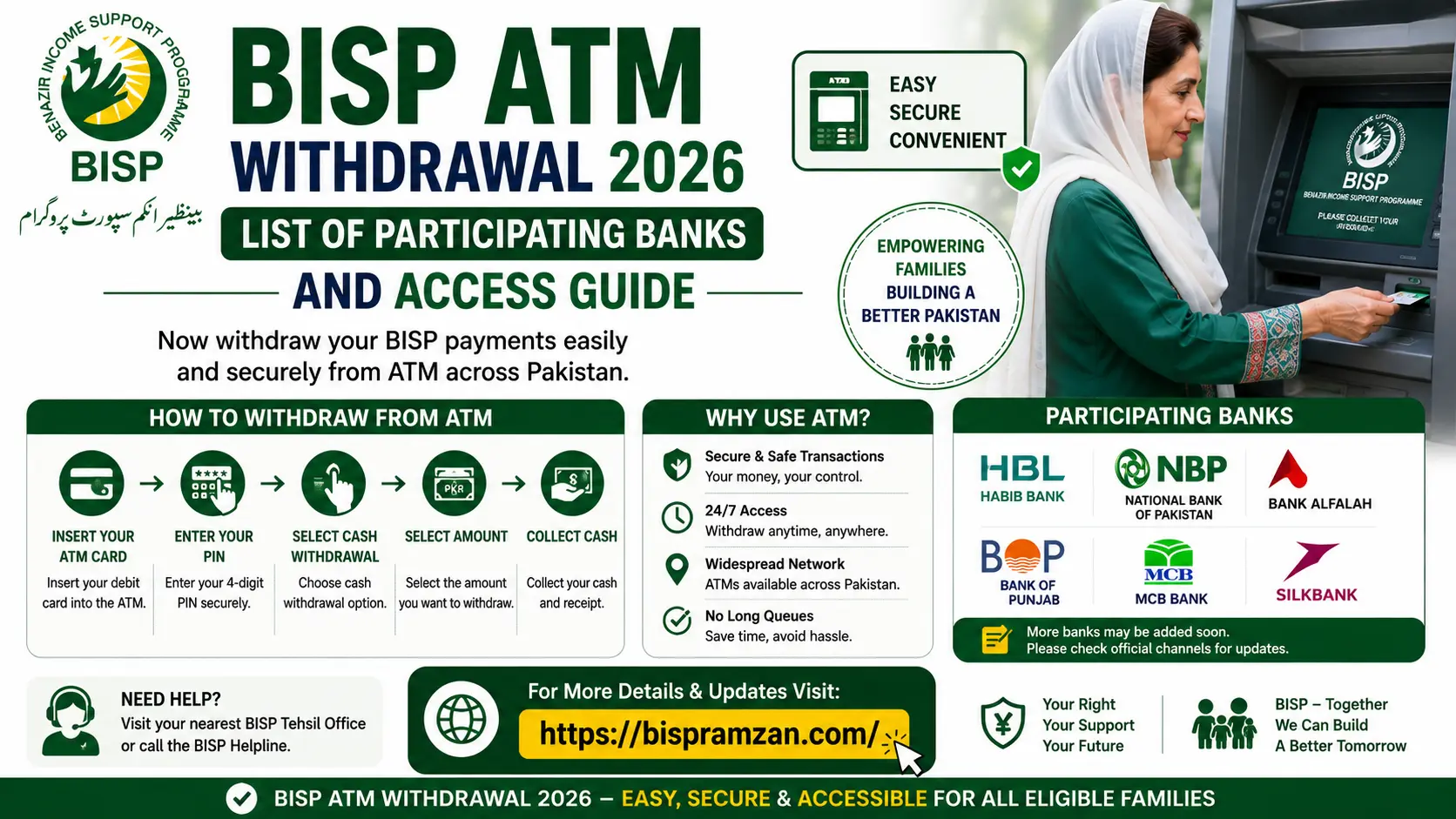
BISP has partnered with a network of commercial banks and microfinance banks to facilitate cash withdrawals. The banks most consistently supporting BISP ATM withdrawals in 2026 include:
- Habib Bank Limited (HBL) — The largest and most widely used partner, with the biggest ATM footprint supporting BISP withdrawals nationwide, including through HBL Konnect agents.
- Bank Alfalah — A long-standing BISP partner bank offering biometric ATM withdrawal facilities in urban and semi-urban areas.
- The Bank of Punjab (BOP) — Actively facilitates government welfare disbursements, including BISP payments, particularly across Punjab.
- HBL Microfinance Bank — Extends HBL’s reach into rural and underserved areas where standard branch networks are limited.
- Mobilink Microfinance Bank — Supports withdrawals in areas with strong mobile banking infrastructure.
- Telenor Microfinance Bank — Facilitates payments through its agent and digital wallet network in addition to ATM access.
BISP has indicated that its partner bank network continues to expand as part of the government’s digital financial inclusion plan, so additional banks may be added during the year. Because coverage can vary by district and cluster, it’s important to confirm which banks are active in your area before visiting an ATM.
How to Check If Your Payment Is Ready Before Visiting an ATM
Before heading to any ATM, always confirm that your payment has actually been released. Visiting before confirmation can result in a wasted trip.
SMS Method:
- Open your phone’s messaging app.
- Type your 13-digit CNIC number (no dashes).
- Send it to 8171.
- You’ll receive an immediate reply confirming your eligibility and payment status.
Web Portal Method:
- Visit the official portal at 8171.bisp.gov.pk.
- Enter your CNIC number and complete the captcha.
- View your current payment status and release details.
Only proceed to an ATM once your status clearly shows the payment as released.
Read More: BISP 8171 August 2026 Payment: Eligibility, Dates, and Status Check Guide
Step-by-Step: How to Withdraw BISP Payment from an ATM
- Locate a partner bank ATM — Visit an HBL, Bank Alfalah, Bank of Punjab, or other supported bank ATM equipped with a biometric scanner.
- Insert your card or CNIC — If you have been issued a BISP debit card, insert it. Some biometric-enabled ATMs allow CNIC-based verification without a physical card.
- Select your language — Choose Urdu or English from the on-screen menu.
- Complete biometric verification — Place your thumb on the fingerprint scanner for identity confirmation.
- Select the BISP/Kafaalat option — Choose the relevant welfare withdrawal option from the ATM menu.
- Confirm your balance — Check the available amount on screen before proceeding.
- Withdraw your funds — Enter the amount, collect your cash, and take your printed receipt as proof of transaction.
According to guidance from the State Bank of Pakistan, BISP beneficiaries are not charged any withdrawal fees, even when using an ATM outside their own bank’s network.
Alternatives If You Don’t Have Access to a Partner Bank ATM
Not every beneficiary lives near a supported ATM, especially in remote or rural areas. In such cases, the following alternatives remain available:
- Mobile wallet withdrawal — Beneficiaries enrolled in the Social Protection Wallet system can withdraw funds through JazzCash or Easypaisa retail agents using biometric verification.
- BISP payment camps — Traditional payment camps at tehsil headquarters continue to operate for beneficiaries without ATM access.
- Assisted withdrawal for elderly or disabled beneficiaries — Those unable to use ATM machines can collect payments through designated BISP offices with appropriate support.
Common ATM Withdrawal Problems and Solutions
| Problem | Suggested Solution |
|---|---|
| Fingerprint not recognized | Clean the scanner or try a different finger; visit a bank branch if the issue persists |
| ATM shows “insufficient funds” | Try a different ATM of the same bank, as individual machines may run out of cash |
| PIN not activated | Visit your bank branch or call the bank’s helpline to activate your card PIN |
| Payment status shows “not released” | Wait for your district’s payment phase to open before visiting an ATM |
| Wallet shows inactive | Make a call or send an SMS from the registered SIM to reactivate it |
Safety Tips for ATM Withdrawals
- Always check your balance on screen before withdrawing.
- Never share your CNIC, PIN, or OTP with anyone at or near the ATM.
- Avoid visiting ATMs alone at night, particularly in less secure areas; mornings are generally safer.
- Keep your withdrawal receipt as proof of the transaction.
- Report any suspicious individuals offering to “help” with your withdrawal to BISP or the bank directly — legitimate withdrawals never require third-party assistance or fees.
Frequently Asked Questions
Can I withdraw my BISP payment from any bank’s ATM? No. Only ATMs belonging to official BISP partner banks — such as HBL, Bank Alfalah, and Bank of Punjab — support these withdrawals.
Is there a fee for withdrawing BISP payments from an ATM? No, BISP beneficiaries are not charged withdrawal fees, including for transactions at ATMs outside their own bank’s network.
What should I do if biometric verification fails repeatedly? Visit your nearest partner bank branch or BISP Tehsil Office for manual verification and troubleshooting.
Can someone else withdraw my BISP payment on my behalf? No. Only the registered beneficiary can withdraw funds, as the system requires the beneficiary’s own biometric verification for security.
Final Thoughts
The expansion of ATM withdrawal access is a meaningful step toward making BISP payments faster, safer, and more dignified for beneficiaries across Pakistan. Always confirm your payment status through the official 8171 SMS service or web portal before visiting an ATM, and use only recognized partner banks to avoid delays or fraud.
Disclaimer: Participating banks, withdrawal procedures, and coverage areas may be updated periodically by BISP and the State Bank of Pakistan. This article is for general informational purposes only. Beneficiaries should confirm current details through the official 8171 portal or their nearest BISP office before relying on this information.